Request Account Deletion
We're Sad to See You Go!
Before you proceed with account deletion, we want to make sure you are aware that deleting your account will result in the permanent loss of all your data and access to our services. If you're sure about this decision, we're here to help. Follow the steps below to request the deletion of your account.
Step 1: Log in to Your Account
Make sure you are logged in to the account you wish to delete.
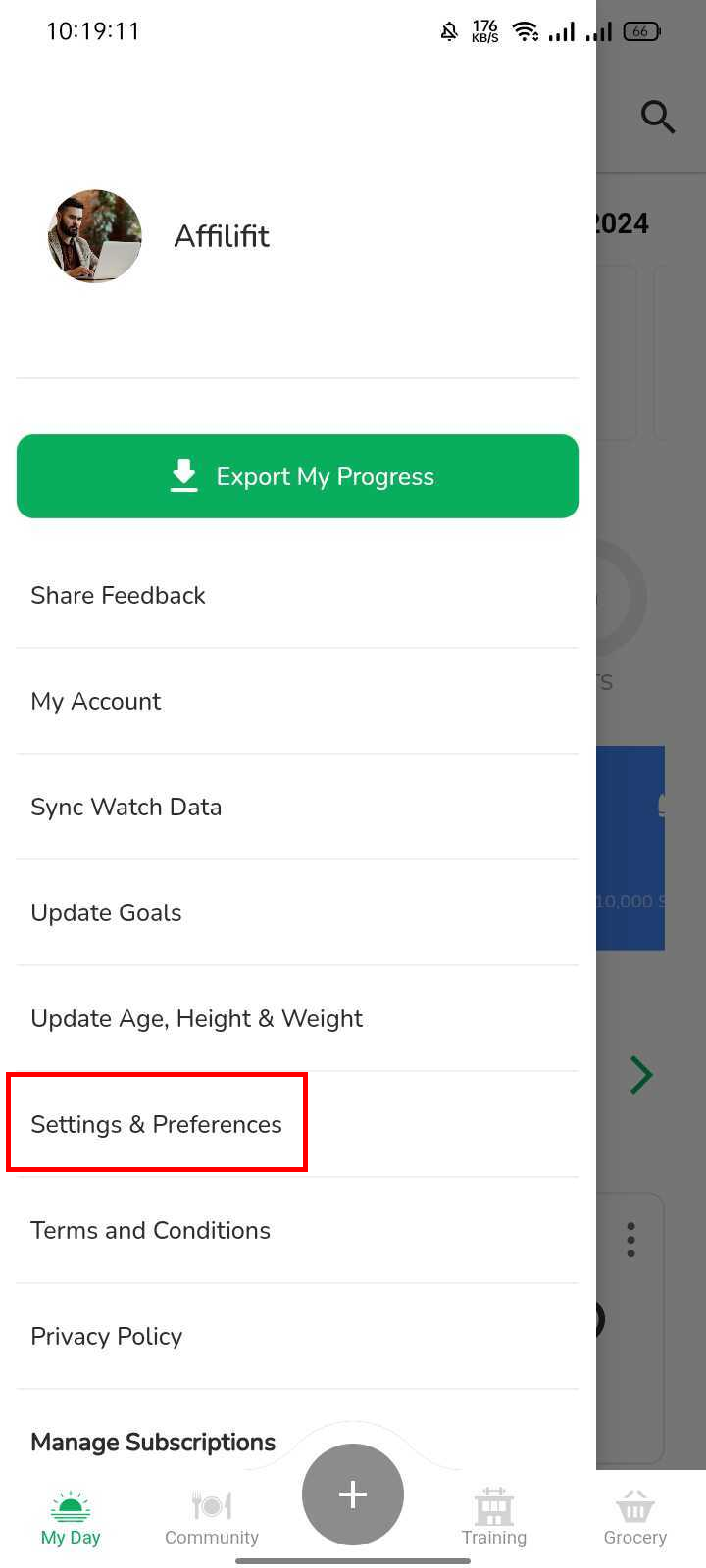
Step 2: Navigate to Account Settings
Find the "Settings and Preferences" button in your side menu.
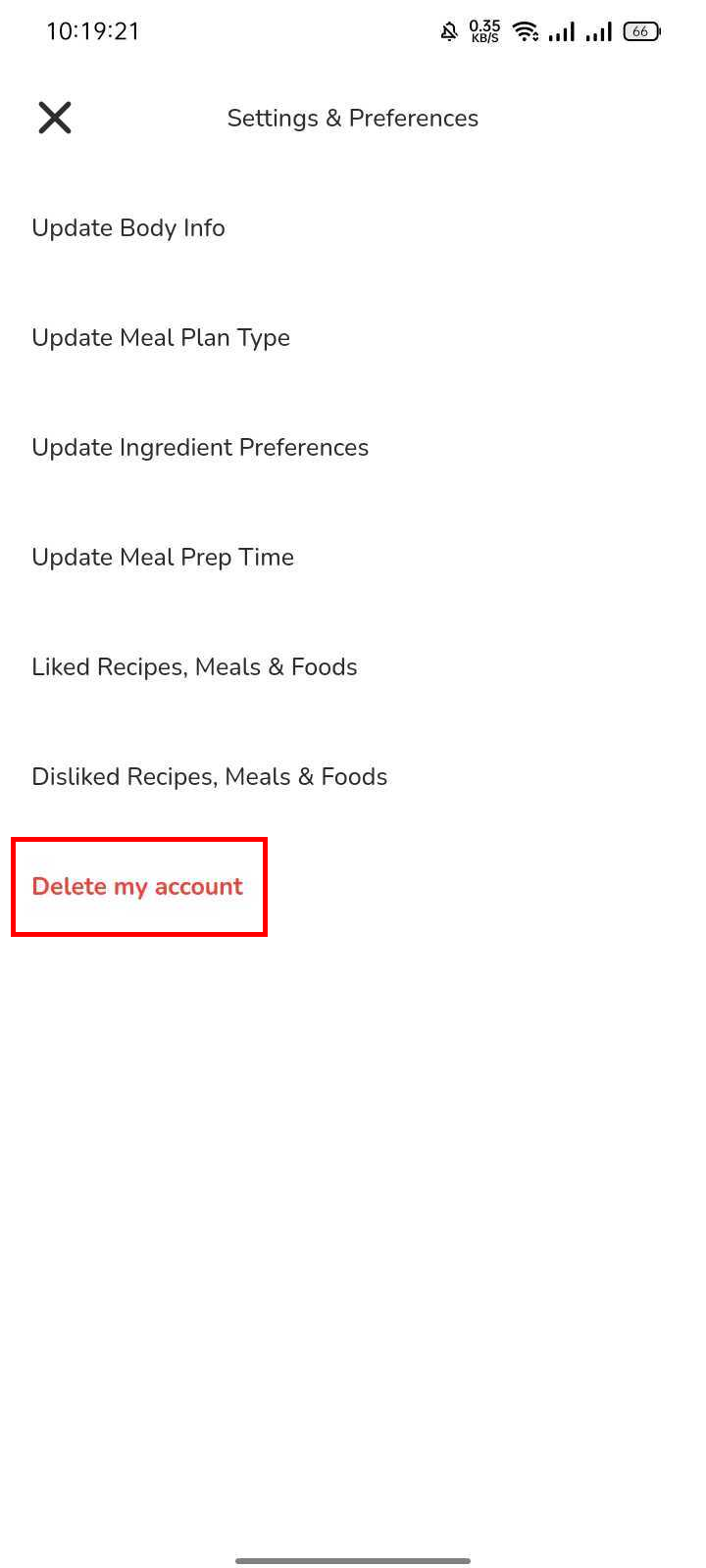
Step 3: Locate "Delete my account" Option
Scroll down to find the "Delete my account" option. It will be located at the bottom of the page.
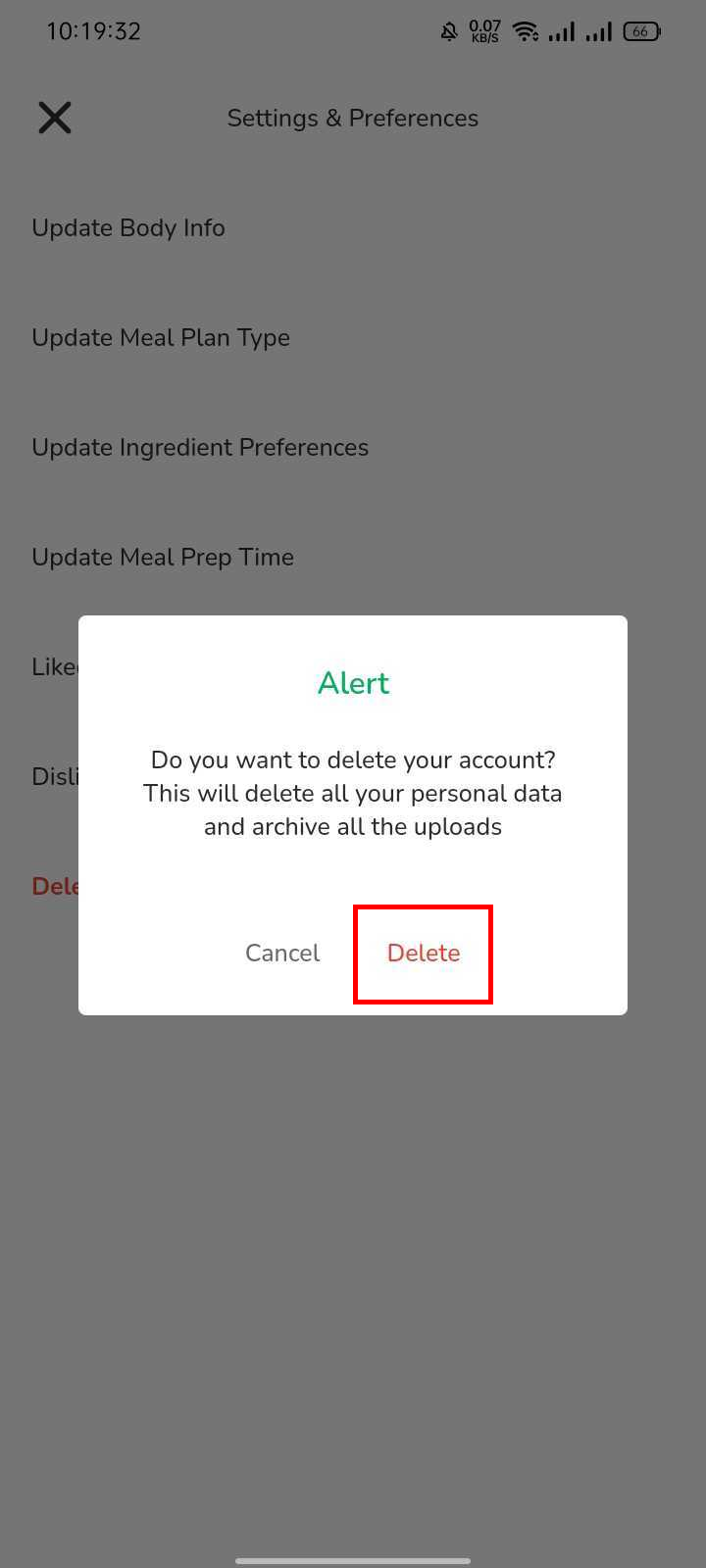
Step 4: Confirm Deletion
You will be prompted to confirm your decision. Please read the instructions carefully.
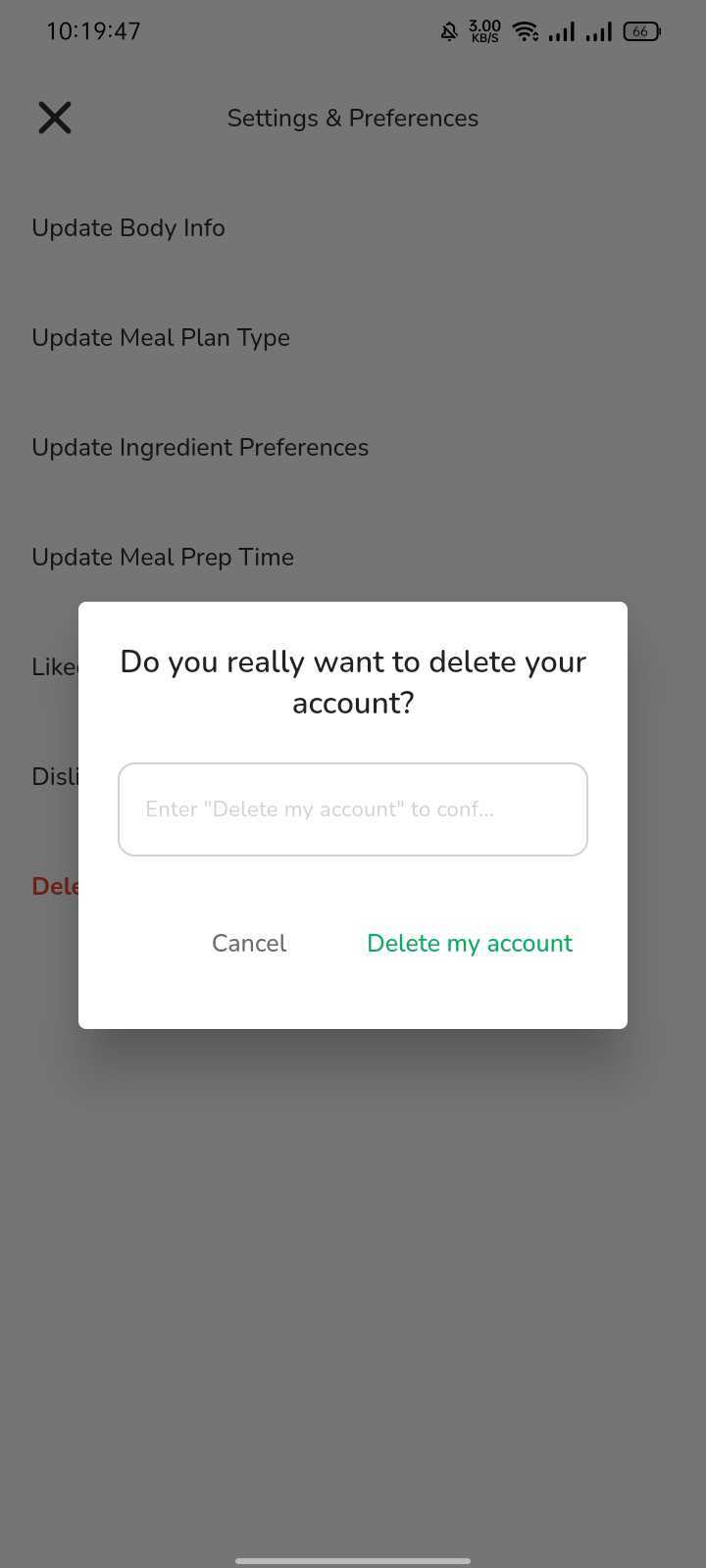
Step 5: Type "Delete my account"
You will be prompted to type "Delete my account" in order to confirm your decision as it can't be reversed.
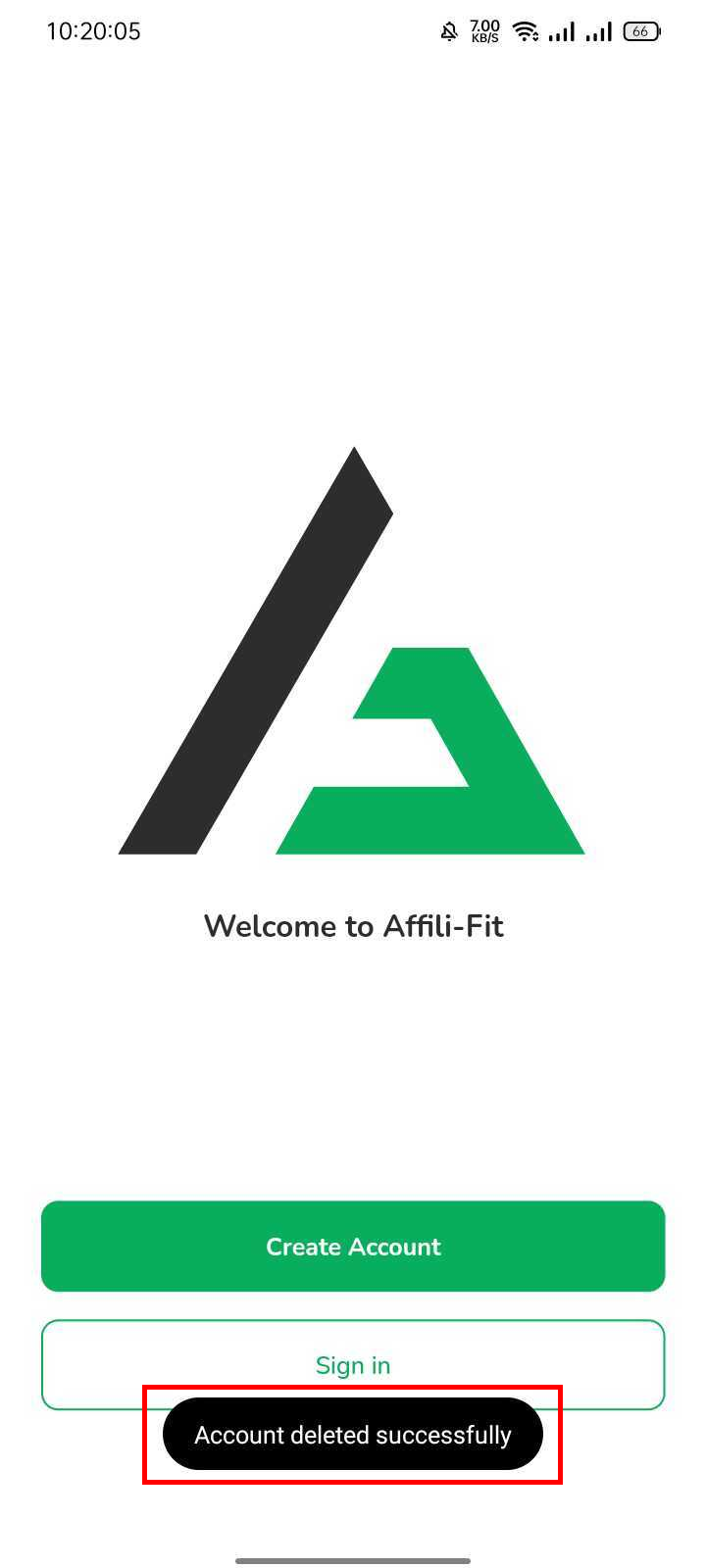
Step 6: Account Deletion Complete
Once you've completed the confirmation process, your account deletion request will be processed. You will receive a prompt ensuring that your account is successfully deleted.
.webp)